 Control Tower
 Organisations and teams
Enterprise: organisations and team admins need a Control Tower Enterprise license.
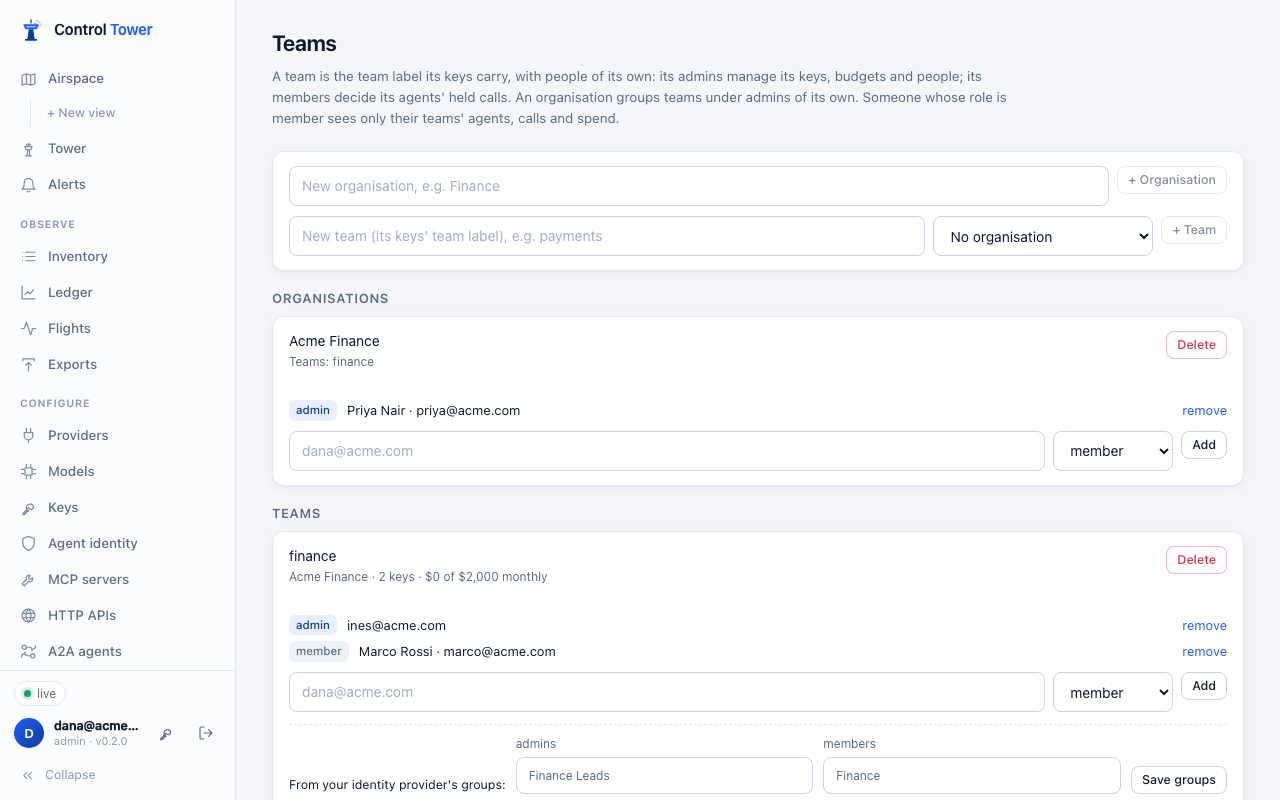
Give each department its own Control Tower inside yours. A team is the team label its keys already carry, with people of its own. An organisation groups teams under admins of its own. Admins keep full control. Everyone else sees, and changes, only what their teams let them.
Who can do what
Memberships add rights to anyone, whatever their role:
| Membership | Can |
|---|---|
| Team member | Decide the team's agents' held calls: in the Tower, or from a Slack or email link |
| Team admin | That, and manage the team's keys: create them in the team, change and rotate them, disable or delete them, and set their limits and budgets. Also add and remove the team's people |
| Organisation member | Team member of every team in the organisation |
| Organisation admin | Team admin of every team in the organisation. Also add teams to it, set their budgets, and add and remove its people |
A team admin can't raise their team's own budget: that is for an organisation admin or an admin.
Only admins change everything else: providers, models, tool servers, gates, zones, exports, guardrails, alerts, secret managers, single sign-on, and organisations themselves.
What a member sees
The member role sees only their teams. That covers:
- their agents' keys;
- their calls in Flights;
- their held calls in the Tower;
- their spend in the Ledger;
- their agents on the map (the Airspace), and their live traffic.
The shared catalogue their keys use stays visible: models, tool servers and gates. Anything that spans every team is hidden: other teams' agents, people, the audit log, spend by customer or tag, and settings.
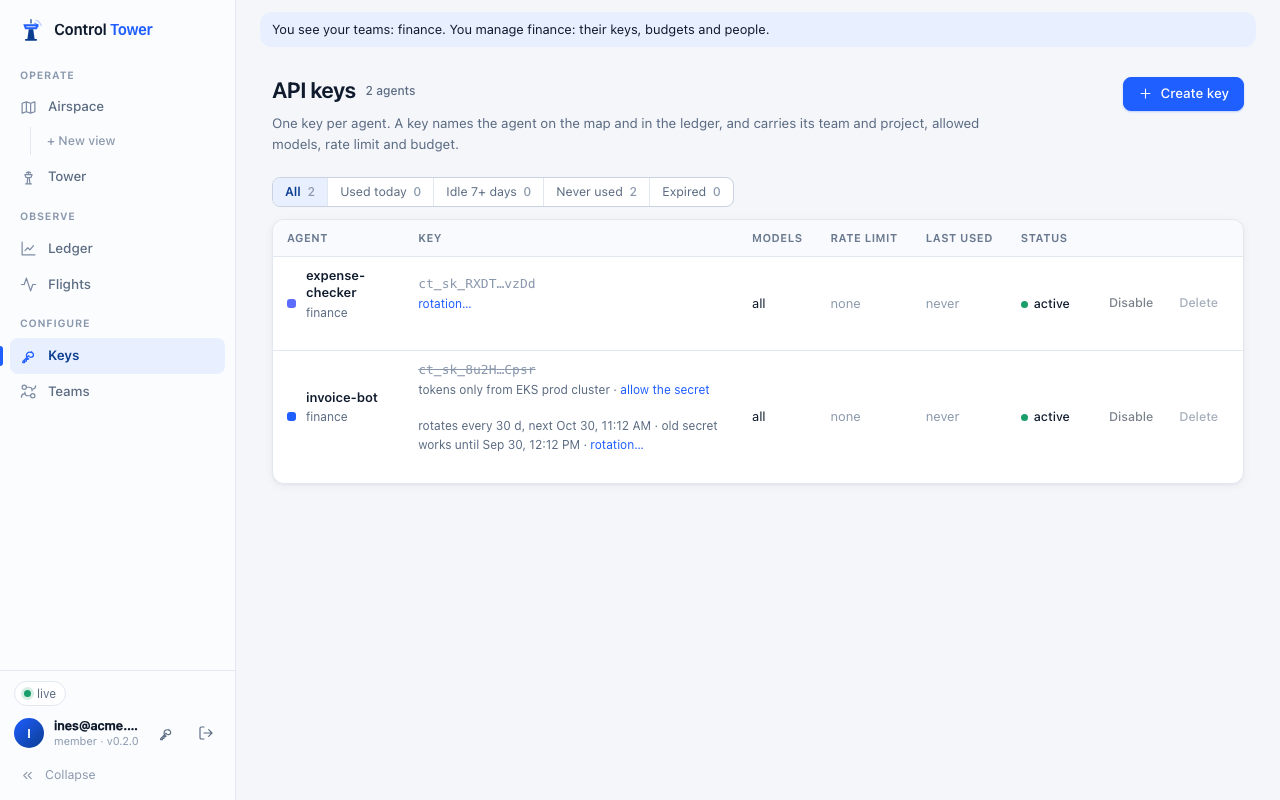
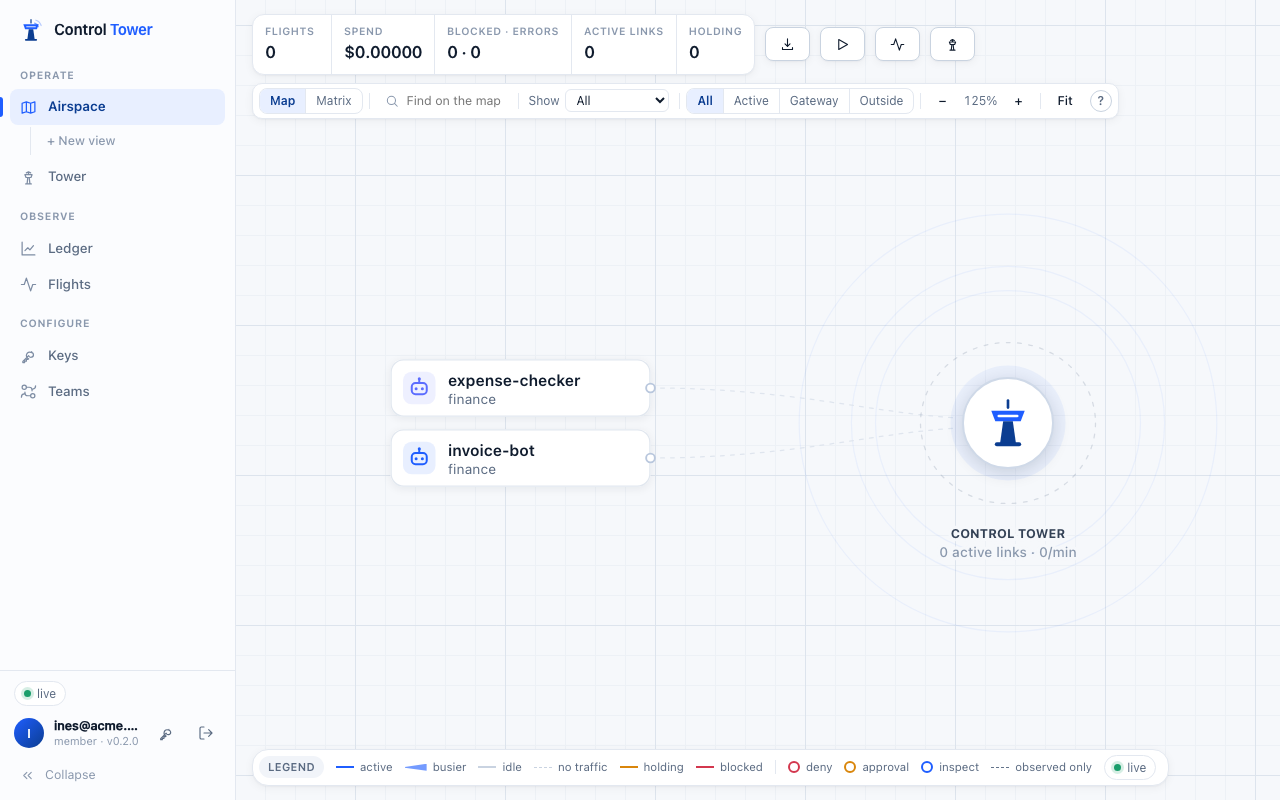
The server enforces this: every list, map, count and live update is filtered for them, and everything outside their teams answers 403 (or 404 for a single item).
Admins, approvers and viewers still see everything. A viewer who is also a team admin sees everything and manages their own team.
Set it up
- On Teams, add an organisation (optional) and teams.
- A team's name is the
teamlabel on its keys, so keys already labelledfinancebelong to thefinanceteam straight away. - Labels your keys carry that aren't teams yet are listed, one click each to make them teams.
- A team's name is the
- Add people to a team or organisation by email, as admin or member. Someone new to Control Tower is created with the member role and a one-time password, shown once. Or they sign in with single sign-on.
- Give people who should see only their teams the member role (People, or your identity provider: see below).
Renaming a team renames the label on its keys and moves its budget with it. Past calls keep the name they were made under. Deleting a team removes its memberships; its keys keep their label.
From your identity provider
A team can list the groups at your identity provider that make people its admins or members. At each single sign-on, and each SCIM group change, Control Tower sets that person's team memberships from their groups:
- joining a group adds them to the team;
- leaving it removes them.
Memberships added on Teams by hand are left alone.
To have people from your identity provider land as members, map a group to Member in the provider's role map, or set Anyone else to Member. Their teams then decide what they see.
When a license ends
Memberships stop giving anything: members see nothing, since nothing fails open. Admins, approvers and viewers keep their roles. Teams, organisations and memberships are kept, and apply again when a license is added.
API
Admins, plus whoever the table below allows. The server checks each request.
| Method | Path | Who | |
|---|---|---|---|
| GET | /admin/api/orgs | Everyone with Teams | Organisations they see, with teams, members and may_manage |
| POST, PATCH, DELETE | /admin/api/orgs, /admin/api/orgs/:id | Admins | {name}. Deleting keeps its teams, outside any organisation |
| PUT, DELETE | /admin/api/orgs/:id/members, …/members/:personId | Admins, its admins | {email, role: admin | member}. Someone new is created as a member: {created: true, password} |
| GET | /admin/api/teams | Everyone with Teams | Teams they see: members, key count, budget, idp_groups, may_manage, may_budget; for admins, unassigned_labels |
| POST | /admin/api/teams | Admins, organisation admins (into their organisation) | {name, org_id} |
| PATCH, DELETE | /admin/api/teams/:id | Admins, its organisation's admins | {name, org_id, idp_groups: {admin: [...], member: [...]}} |
| PUT, DELETE | /admin/api/teams/:id/members, …/members/:personId | Admins, its organisation's admins, its admins | As for organisations |
GET /admin/api/me includes scope:
all: whether they see everything;teams: the teams they see;manage,approveandorg_admin: team names, organisation ids, or"all".
Scoped people use the same key, budget and approval endpoints as admins, answered for their teams.