 Control Tower
 Keys, budgets and limits
Every agent gets its own key. The key is how Control Tower knows who is calling: it names the agent on the map, in Flights and in the Ledger, and it carries what that agent may do.
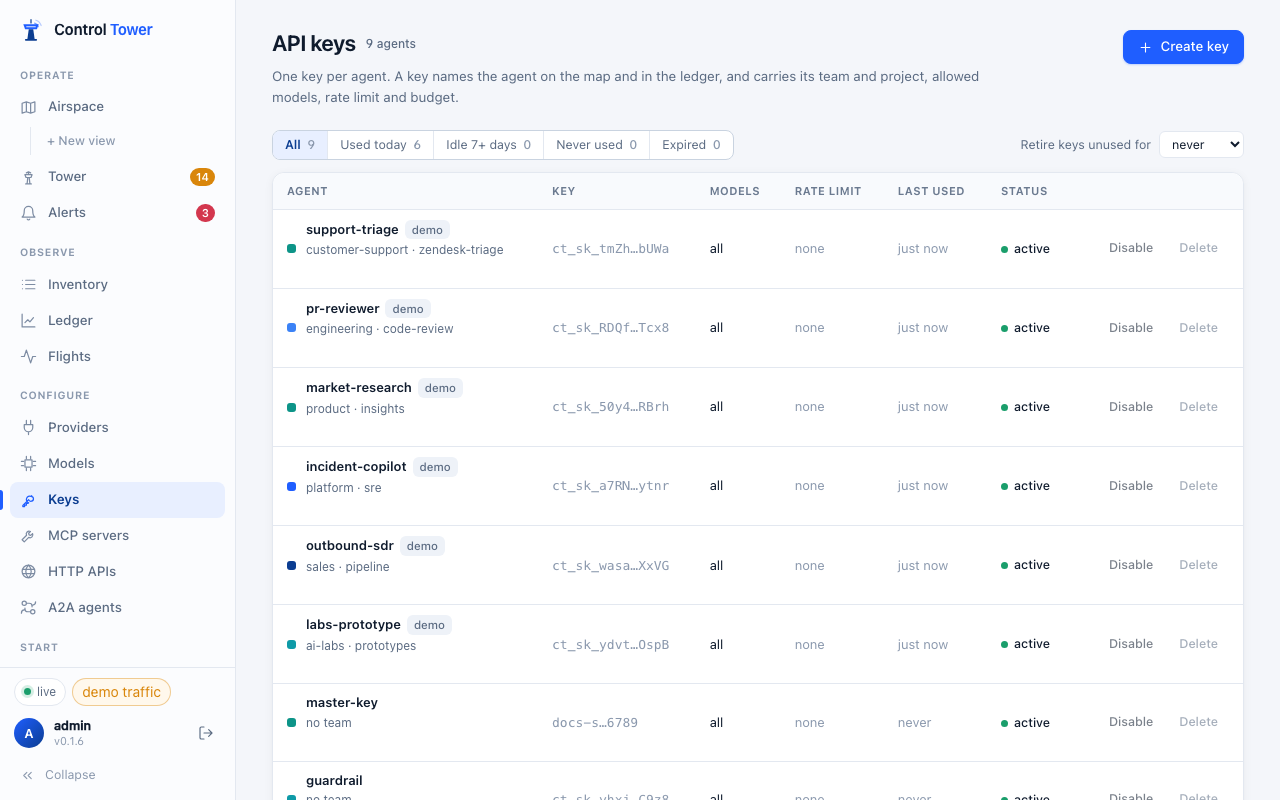
Create a key
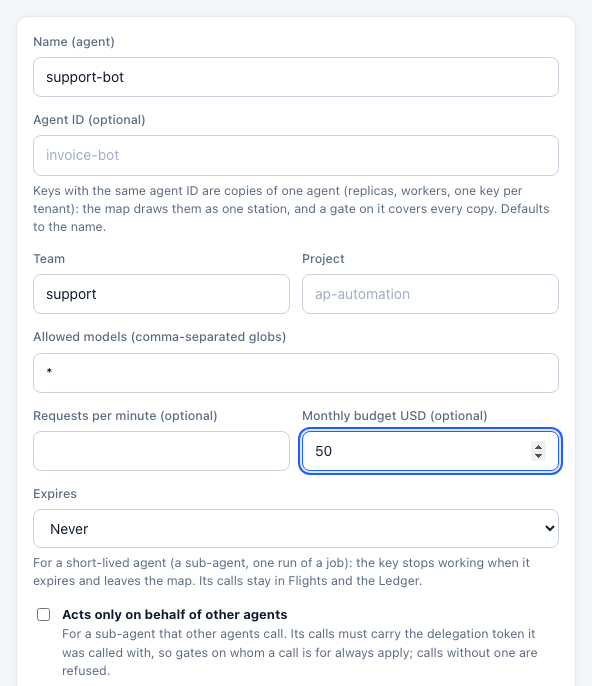
Keys → Create key:
| Field | What it does |
|---|---|
| Name (agent) | The agent's name on the map and in every report |
| Agent ID | Optional. Keys with the same agent ID are copies of one agent. Defaults to the name |
| Team, Project | Labels for grouping spend, for zones (a zone can match every key of a team) and for alerts |
| Allowed models | Comma-separated globs, e.g. gpt-4.1*, claude-haiku-*. They are matched against the name the agent sends, so a pinned name like openai/gpt-4.1-mini needs a glob such as *gpt-4.1*. Empty means any model. Other models get 403 model_not_allowed |
| Requests per minute | Rate limit; over it, 429 rate_limit_exceeded |
| Monthly budget USD (optional) | Hard budget; once spent, 429 budget_exceeded until the next period |
| Acts only on behalf of other agents | For a sub-agent other agents call: its calls must carry a valid delegation token, or they are refused. See Agents calling agents |
The key (ct_sk_ + 32 characters + a checksum) is shown once. Only its hash is stored. The format is fixed so secret scanners can recognise a leaked key.
Under the key, the Connect panel shows setup for each kind of client with the key filled in, and confirms the agent's first request — see Connect your agents.
More controls (API)
The console covers the common fields; the API has the rest. POST /admin/api/keys (or PATCH /admin/api/keys/:id) accepts:
{
  "name": "support-bot",
  "agent_id": "support-bot",
  "team": "support",
  "project": "zendesk-triage",
  "tags": ["customer-facing"],
  "allowed_models": ["gpt-4.1*", "claude-haiku-*"],
  "allowed_mcp": ["salesforce__search_*", "zendesk__*"],
  "limits": { "rpm": 120, "tpm": 200000, "maxParallel": 4 },
  "budget": { "limit_usd": 50, "period": "monthly", "hard": true },
  "expires_at": 1798761600000,
  "delegated_only": false,
  "regions": ["eu-*"]
}allowed_mcp— globs over namespaced tools (server__tool). Tools outside them are not even listed to the agent.limits— requests per minute, tokens per minute (charged up front from an estimate, then corrected), and concurrent requests.budget—daily,weekly,monthlyortotal. A soft budget (hard: false) alerts instead of refusing. Spend other agents make on this agent's behalf counts against it too. Budget alerts fire at a percentage and when exhausted; see Alerts.expires_at— epoch milliseconds; afterwards401 key_expired.delegated_only— the API name for Acts only on behalf of other agents:truerefuses the key's calls that carry no valid delegation token (403 delegation_required).regions— region globs its calls may be served in; see Keeping data in a region. Omit (ornull) for anywhere.
Key management API
Scripts and CI can manage keys with the admin key, including bringing an existing key value over from another system so the agents that use it keep working:
curl -X POST http://localhost:4000/key/generate \
  -H "Authorization: Bearer $CT_ADMIN_KEY" -H "Content-Type: application/json" \
  -d '{"key_alias": "support-bot", "models": ["gpt-4.1-mini"], "max_budget": 50, "budget_duration": "30d", "rpm_limit": 120}'
Also GET /key/info, POST /key/update, GET /key/list, POST /key/block, POST /key/unblock, POST /key/regenerate and POST /key/delete (by keys or key_aliases). budget_duration takes 1d, 7d, 30d or 1mo; duration takes values like 30d for an expiry; "key": "sk-…" keeps an existing value.
Many copies of one agent
An agent that runs as several copies — replicas behind a load balancer, one worker per queue, one key per customer tenant — should still get a key per copy, so each can be limited, rotated and traced on its own. Give the copies the same agent ID:
- The Airspace draws them as one station with a ×N count, so 1,500 keys of 60 agents read as 60 agents.
- A gate drawn on that station covers every copy, including copies added later; in a policy file it is
match: { groups: [support-bot] }, and a zone member isgroup:support-bot. - Flights, the Ledger and budgets still count each key separately.
Agents that come and go
Agents get onto the map only through keys — Control Tower never invents an agent from traffic — so how many stations you see depends on how keys are handed out. A session that spins up sub-agents and finishes is the common case:
- Sub-agents on the parent's key are the parent. Claude Code, the Claude Agent SDK and the OpenAI Agents SDK run their sub-agents on the session's own credentials, so six sub-agents are one agent with six times the calls — not six stations.
- A key per run, one agent ID. A pipeline that mints a key for each run or worker should give them all the same agent ID: they are one station with a ×N count (above).
- Short-lived keys. Give a key minted for one job an expiry (Expires when you create it,
expires_atin the API,durationon/key/generate). When it expires it stops working and leaves the map; its calls stay in Flights and the Ledger. - Retire idle keys. Retire keys unused for 7, 30 or 90 days on the Keys page expires keys that have done nothing for that long — counting from when a key was made if it was never used. It runs every hour, and at once when you switch it on (the page lists what it retired). Setting a new expiry on a key brings it back. Control Tower's own keys and demo keys are never retired.
- Tidy up by hand. The Keys page filters Used today, Idle 7+ days, Never used and Expired, and each list can be disabled or deleted in one go —
POST /admin/api/keys/bulkwith{"action": "disable" | "delete", "ids": [...]}.
On the map itself, Show: Used today / Active (15 min) hides idle agents and destinations without touching their keys (Airspace).
Team and project budgets
A key budget caps one agent. To cap a whole team or project — every key labelled with it, including keys created later — add a budget on the Ledger:
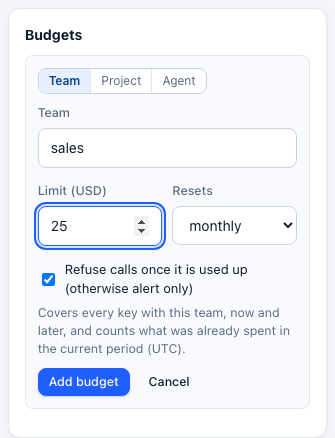
- Resets daily, weekly (Monday) or monthly, in UTC, or never.
- A new budget counts what the team or project already spent in the current period, so a monthly budget set on the 20th includes the 1st to the 20th.
- Hard budgets refuse calls with
429 budget_exceededonce used up; soft ones only alert. - Every call is checked against every budget that covers it — the key's, its team's and its project's — so the tightest one applies.
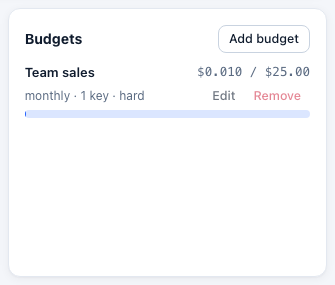
API: GET /admin/api/budgets, PUT /admin/api/budgets/<key|team|project>/<id> with {"limit_usd": 500, "period": "monthly", "hard": true}, and DELETE on the same path.
Tags and customers
Agents can say what a call is for and whom it serves, and Control Tower accounts for both:
| Header | Body alternative | |
|---|---|---|
x-ct-tags: nightly-report, batch | "ct": {"tags": [...]}, or metadata.tags | Up to 16 tags. Ledger → Spend by tag breaks spend down by them; deployments can be reserved for a tag |
x-ct-customer: acme | "ct": {"customer": "acme"}, or the request's own user field | The end customer the agent is serving. Ledger → Customers lists spend per customer |
x-ct-region: eu-west-1 | "ct": {"region": "..."} | Serve this call in a region (see Keeping data in a region) |
Tags given as metadata.tags are taken out of the request before it reaches the provider (providers want string metadata); the ct object never reaches a provider.
In Ledger → Customers a customer can be blocked — its calls are refused with 403 customer_blocked — or given a monthly budget, which works like any other budget: a hard budget refuses its calls with 429 budget_exceeded once spent, and other customers carry on. Customer budgets don't raise budget alerts; those cover key, team and project budgets. Customers can be named for the list. Through the API: PUT /admin/api/customers/:id ({name, blocked, note}) and PUT /admin/api/budgets/customer/:id.
Tokens instead of the secret
With Enterprise, an agent can present a token from your identity provider in place of the key's secret: a Kubernetes service account token, a GitHub Actions token, or a client-credentials token from Entra ID, Okta, Auth0 or Google. Rules on a trusted issuer say which tokens are used as which key, and the key can then refuse its secret altogether. See Agent identity.
Disable, rotate, delete
- Disable stops a key immediately (
401 key_disabled) and keeps its history; Enable restores it. - Delete removes it; agents using it get
401at once. - To rotate, create a new key for the agent, switch the agent over, then delete the old one — or
POST /key/regenerateto issue a new secret for the same key record. With Enterprise, rotation… gives a key a new secret while the old one keeps working for an overlap, and can rotate it on a schedule into your secret manager: see Key rotation.
A blocked or expired key is refused everywhere: model calls, MCP, HTTP APIs, model listing and token counting.
Where spend shows up
Per-key requests, tokens, spend, blocked and errors are in the Ledger; per-call detail is in Flights. Budgets are checked before each call against what has been spent plus what is in flight, so parallel requests can't overshoot a hard budget by more than the requests already running.